The Easiest AI Assistant.
Their AI negotiated $4,200
off a car by itself.
Then it did the groceries.
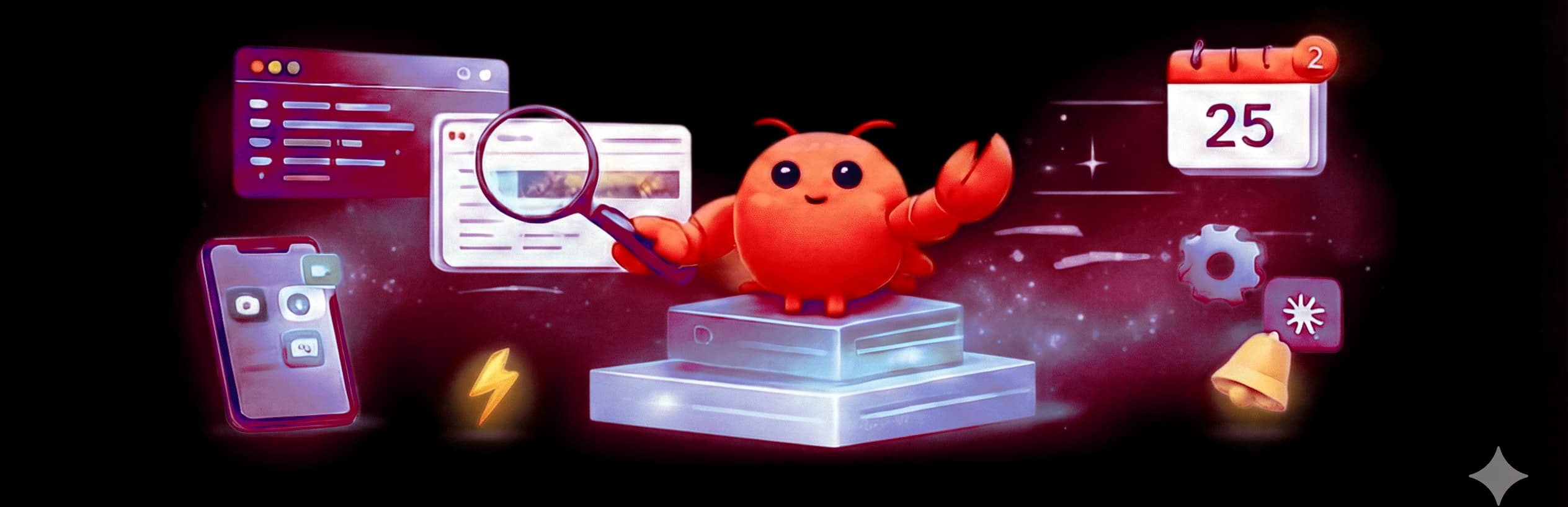
An AI that runs 24/7 on Telegram, Discord, or Slack. It browses the web, writes code, manages your calendar, controls your smart home - and teaches itself new skills when it needs them.
Try YOUR AI Free for 7 Days$19/mo after trial. AI included - daily free use.
What people are actually doing with it
Real projects from real users. Scroll →
You talk to it. We keep it running.
Set Up in Under a Minute
Self-hosting an AI agent means installing Node.js, Docker, configuring ports, and managing a Linux server. Most people quit before it works.
Sign up, pick a name, Done. Your assistant is live before your coffee gets cold.
Monitored Around the Clock
Self-hosted agents crash at 3 AM and you find out Monday morning. Disk fills up, memory leaks, containers die silently.
We check every 2 minutes. If something breaks, we restart it automatically. You get an assistant that’s there when you need it.
Your Own Isolated Machine
135,000+ self-hosted AI agents have open ports and no login screen. Anyone who finds the URL gets full access to the owner’s data.
Your assistant runs in its own Firecracker micro-VM with encrypted storage, no public IP, and zero exposed ports. Nobody else can reach it.
Guides for Humans, Not Engineers
Most AI tools hand you a README and wish you luck. Setup guides assume you already know Linux, Docker, and networking.
No setup required. Instead, do new things with our Step-by-step walkthroughs in plain language for Telegram, Discord, Slack, and every feature. Written for people, not sysadmins.
Three steps. That's the whole thing.
Pick a name
Sign up free, name your assistant, and choose a plan. No credit card for 7 days.
Connect a chat app
Link Telegram, Discord, Slack, or WhatsApp.
Tell it what to do
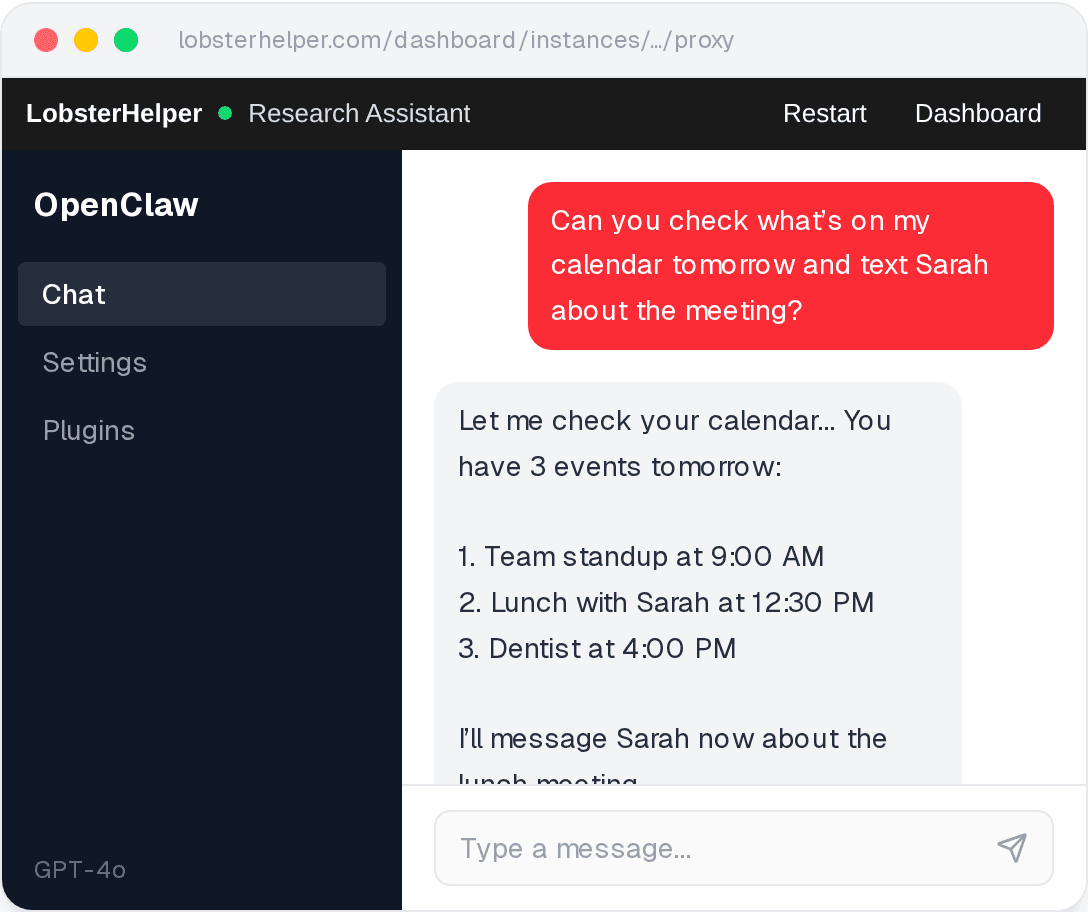
Send a message. It’ll browse the web, check your calendar, run code - whatever you need. It learns new skills on its own.
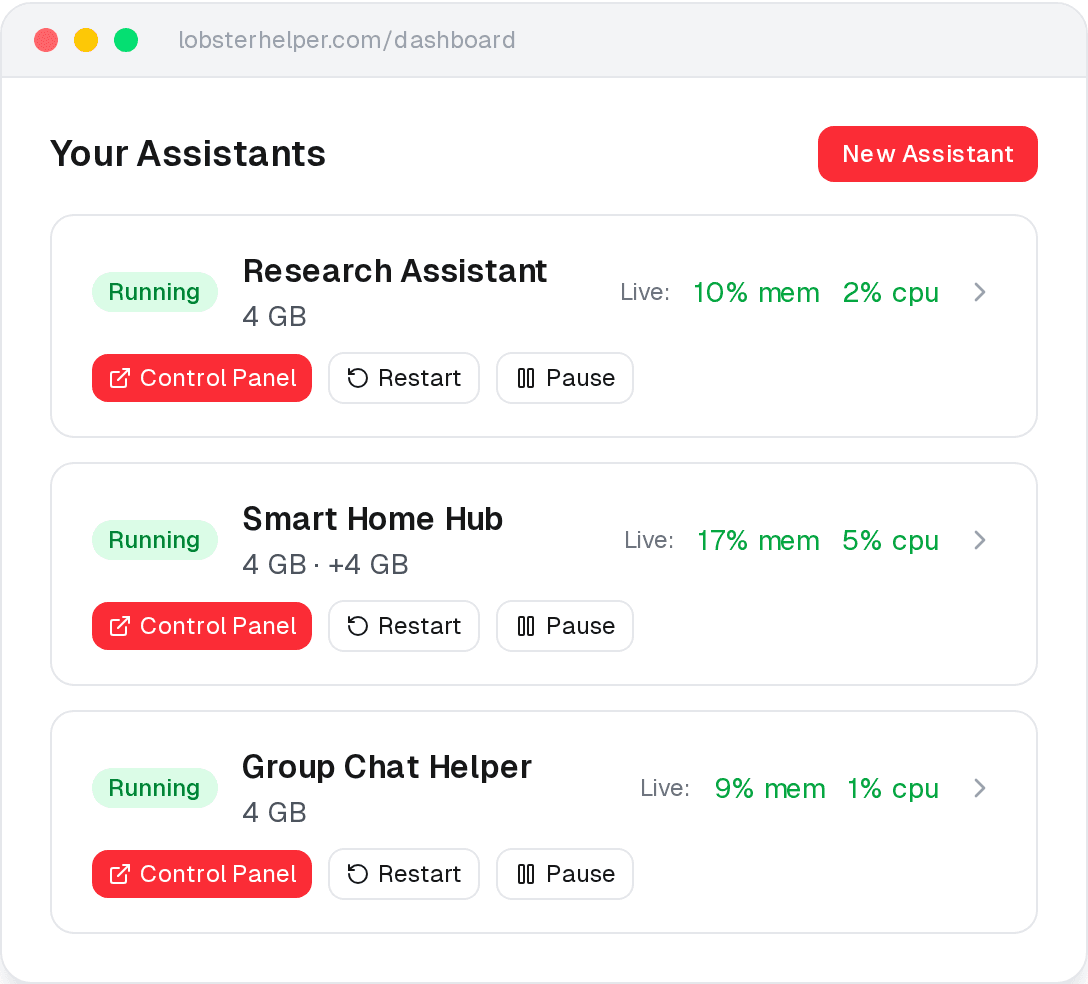
Chat on your phone. Manage from your browser.
A dashboard that shows what your AI is doing, and a chat interface when you want to talk to it directly. No terminal, no SSH, no Docker.
AI included. Pick how much you need.
Every plan comes with daily free AI usage and a monthly budget. No API keys to manage. Start free for 7 days.
Base
Free for 7 days
- AI included - no API key needed
- 5 models (GPT-5 Mini, Haiku, Gemini Flash, and more)
- Daily free usage + monthly AI budget
- Telegram, Discord, Slack, and more
- 7-day free trial
Pro
- Everything in Base
- 8 models including GPT-5.2 and Sonnet
- 2x usage limits
Pro 10x
- Everything in Pro
- All 9 models including Opus 4.6
- 10x usage limits
- Priority support
Or bring your own API key for $19/mo
Demonstrable Data Safety - Isolated, Encrypted, Yours.
Every assistant gets its own virtual machine, encrypted disk, and dedicated resources. Here’s what that means.
Firecracker VMs
Each assistant runs inside its own Firecracker micro-VM - the same technology behind AWS Lambda. Your assistant gets its own isolated environment, not a shared container.
Hardware-Level Isolation
Your assistant runs in its own virtual machine with dedicated memory and its own kernel. Other users on the same hardware can’t see or access your environment.
Zero Exposed Ports
Your assistant has no public IP and no open ports. All access goes through our authenticated proxy - you’ll never end up as one of those 135,000+ instances with the front door wide open.
LUKS-Encrypted Storage
Your assistant’s data volume is LUKS-encrypted with a unique key. Even at the disk level, your data is unreadable without your specific key.
Health Checks Every 2 Minutes
We check every assistant for CPU, memory, and disk usage every 2 minutes. If something looks wrong, we attempt to repair it automatically.
Automatic Restarts
If your assistant crashes or runs out of memory, we detect it and restart it automatically - no manual intervention needed.
Encrypted Backups
Your assistant’s data is automatically backed up to encrypted object storage. Pause it, move it, restart it - your data follows.
Frequently asked questions
What can it actually do?
It browses the web, manages your calendar, controls smart home devices, writes and runs code, sends messages, and automates repetitive tasks — through Telegram, Discord, Slack, and other apps you already use. It can also install new capabilities on the fly — just ask it to learn something and it downloads the skill. Under the hood, it's powered by OpenClaw, the #1 open-source AI assistant with 157,000+ GitHub stars.
How is this different from ChatGPT or Claude?
ChatGPT and Claude are chat windows — you ask a question, you get an answer, you close the tab. LobsterHelper is an AI that runs 24/7 on your own messaging apps. It can browse the web, run code, manage your calendar, and teach itself new skills without you being there. It's also different from self-hosting: no terminal, no Docker, no server maintenance. We handle all of that — setup, monitoring, backups, and updates.
Do I need technical skills?
No. You don't need to know how to code or use a terminal. Our guides walk you through everything step by step.
How does AI billing work?
Every plan includes daily free AI usage that resets each day, plus a monthly budget for heavier use. If you go over your monthly budget, usage continues at a small overage rate — you're never cut off. You can also bring your own API key if you prefer to manage costs directly with your provider.
How do I avoid surprise AI bills?
Your plan's monthly budget sets a clear baseline. Most people stay well within it. If you do go over, overage is billed transparently — no hidden fees. You can also bring your own API key and set spending limits directly with your provider. See our cost control guide for details.
Which apps can I chat on?
Telegram, Slack, Discord, Signal, iMessage, Google Chat, and many more. We provide step-by-step setup guides for Telegram, Discord, and Slack.
Is my data secure?
Your assistant runs in its own separate virtual computer with encrypted storage and strict firewall rules. No other user can see or access your data. But let's be real: AI assistants are powerful and unpredictable. They can be tricked into doing things you didn't intend. They might leak information if someone sends them a clever message. That's not a bug in our hosting - that's the nature of the technology. We harden the infrastructure, but we're not going to pretend the AI itself is safe. Use a dedicated API key with spending limits. Don't give it your bank password. Treat it like a very eager intern with no sense of boundaries.
Can I cancel anytime?
Yes. No contracts, no lock-in. Cancel anytime from your dashboard.
What AI models are available?
Base ($19/mo) includes 5 models: GPT-5 Mini, Claude Haiku 4.5, Gemini 3 Flash, MiniMax M2.5, and Kimi K2.5. Pro ($39/mo) adds GPT-5.2, Claude Sonnet 4.6, and Gemini 3.1 Pro — 8 models total. Pro 10x ($149/mo) unlocks all 9 models including Claude Opus 4.6, plus 10x the usage limits.
Send it your first message today.
Free for 7 days. Your assistant is ready in under a minute.
Start Free Trial